<img height="1" width="1" style="display:none;" alt="" src="https://dc.ads.linkedin.com/collect/?pid=90428&amp;fmt=gif"> Accept Recurring GCash Payments with Ezypay
Ezypay Platform

Ezypay’s cloud-based payment platform enables you to process recurring and one-off payments

Explore Platform
Cloud
Try Ezypay

Request access to our sandbox environment

Get Access
Speech bubble
Ask an Expert

Speak to us to find the best solution for your business

Contact Us
PromptPay x Ezypay

Accept PromptPay in Thailand

Offer a trusted local payment experience in Thailand with PromptPay powered by Ezypay. Submit your details to get started.
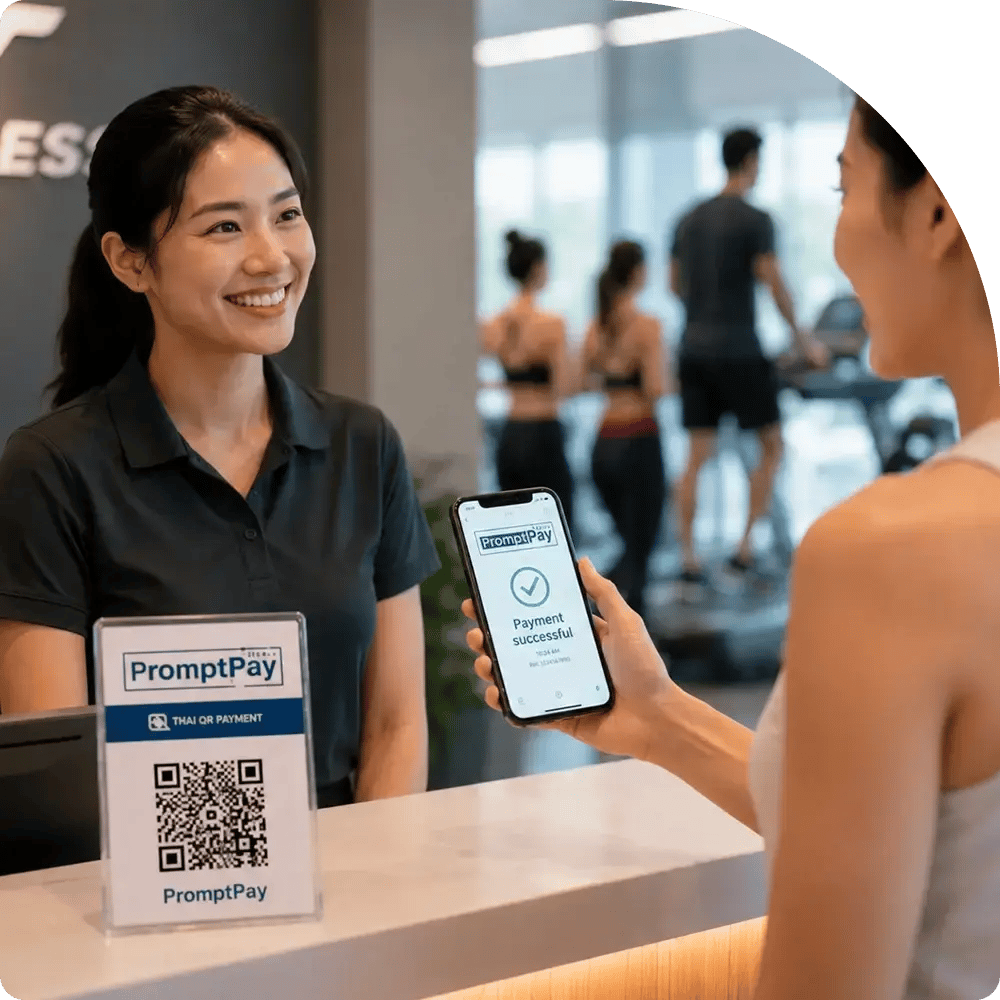
A woman holds a smartphone showing PromptPay app while standing at a front desk, ready to assist visitor.

Why PromptPay?

PromptPay is Thailand’s national real-time payment system and one of the country’s most trusted digital payment methods. Customers use PromptPay for everyday payments because it is fast, simple and secure - making it an essential option for businesses expanding into the market or established businesses looking for a better payment method to offer their customers.

Two women smiling as they look at a laptop. One wears glasses and a striped sweater, the other a hijab. The setting is a modern, stylish room.

Key reasons to choose PromptPay

PromptPay helps reduce payment friction by offering a familiar local payment method in Thailand. 

Handshake icon representing convenience.

Improve conversion

More customers complete payments with a trusted local method. 

Mobile device with accessibility symbol representing easy access.

Reduced chargebacks

Every PromptPay transaction is authorised by end customers, helping reduce the risk of disputes and chargebacks. 

Credit card and lightning bolt icon representing fast payments.

Real-time confirmation

Know when a payment is confirmed, instantly. 

Circular arrows around a gear representing versatility.

Supports one-off payments

Perfect for once-off invoices, manual retries and customer-initiated payments. 

star

Consolidated reporting

Manage all your payments in one system for simpler reconciliation. 

PromptPay x Ezypay

Ready to accept PromptPay

You can add PromptPay to your Ezypay payment options quickly. Just complete the form, and our team will guide you through the next steps.

hero-pricing

Learn more about PromptPay

Your PromptPay questions - answered

For more detailed information about PromptPay and the integration with Ezypay, you can read the full list of PromptPay FAQs.

Who can use PromptPay?
PromptPay is available only to Ezypay-powered businesses operating in Thailand.
Can I use PromptPay without a software partner?
No. Your business must use an Ezypay software partner who has PromptPay enabled.
Is PromptPay suitable for subscriptions or recurring billing?
No. PromptPay supports one‑off, customer‑initiated payments only.
It can’t be used for automated recurring or subscription billing.
Can I use PromptPay to retry a failed subscription payment?
Yes, as a manual, one‑off retry for a failed invoice.

PromptPay doesn’t store payment details, so you cannot automate future payments with PromptPay.
Can PromptPay be set as a customer’s primary payment method?
No. PromptPay can’t be set as a customer’s primary method.
How long is a PromptPay QR code valid?
By default, each QR code expires 7 days after the invoice date.
What happens when a QR code expires?

If the customer doesn’t pay within 7 days:

  • The invoice moves to Past Due
  • Reason shown: Expired QR
Can I cancel a PromptPay QR code?

Yes. You can cancel a payment request any time before it expires.

When cancelled:

  • The invoice moves to Unpaid
  • Reason shown: Cancelled QR
What if a customer scans the QR code but the payment fails?
It becomes invalid immediately after a successful payment.
Are failed payment fees charged for PromptPay?

No. Failed payment fees do not apply to PromptPay.

Expired or cancelled QR codes:

  • Aren’t treated as failed payments
  • Don’t trigger failed payment fees
  • Don’t trigger auto‑rebill
Do load fees still apply?
Yes. Load fees apply as usual - including when a customer’s first successful payment is made via PromptPay.
Do unsuccessful PromptPay attempts appear in reports?

No. Only completed PromptPay payments appear in settlement and payment reports.

Expired or cancelled QR codes:

  • Don’t appear in settlement reports
  • Aren’t counted as failed transactions

Because unsuccessful attempts aren’t logged, PromptPay reports may show 100% successful collection.

Can payment dates differ from invoice dates?

Yes. Customers have up to 7 days to pay, so:

  • The payment date may differ from the invoice date
  • The payment date may differ from the transaction creation date
Can PromptPay payments be refunded in Ezypay?
No. PromptPay doesn’t support refunds.
Any refund attempts in the system will be rejected.
Are chargebacks or disputes possible?
No. Chargebacks and disputes aren’t supported for PromptPay payments.
What happens to fees if a refund is attempted?

Because PromptPay refunds are blocked:

  • No refund fee(s) can be applied
  • Customer‑paid fees can’t be refunded, including:
    • PromptPay transaction fees
    • Original card transaction fees
    • Load fees
    • Failed payment fees (if applied earlier)
How should businesses handle refunds?
Please refund any required customers off platform.


Register your interest for PromptPay

Enter your details if you'd like to learn more about using PromptPay with Ezypay.

Recent Posts